
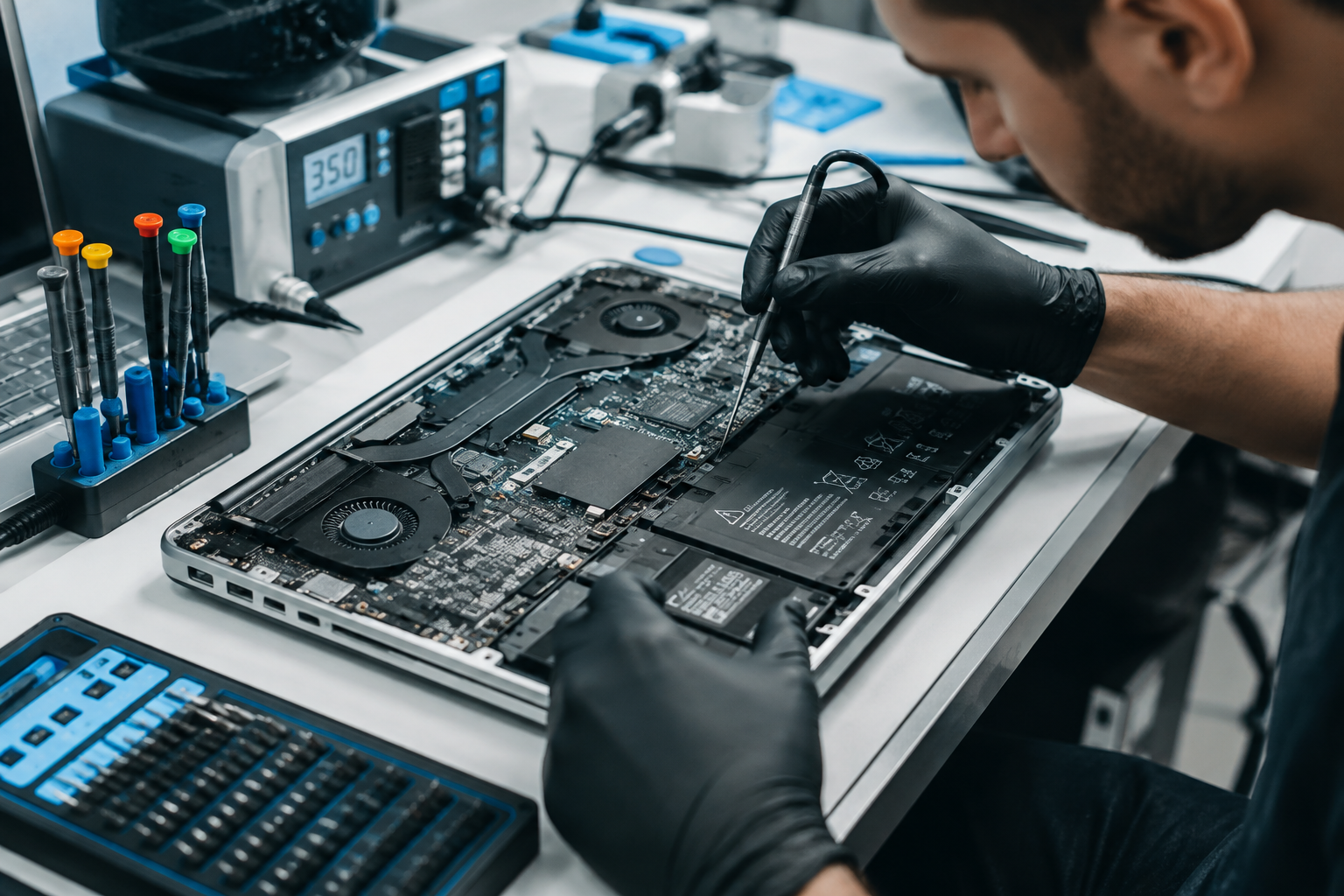

There’s a particular kind of panic that sets in when your laptop suddenly refuses to turn on, freezes mid task, or starts making a sound it’s never made before. For most people, a laptop isn’t just a device, it’s where work gets done, where memories are stored, and where a good chunk of daily life happens. So when something goes wrong, the instinct to fix it quickly, without losing data or spending a fortune, kicks in almost immediately. That’s exactly where laptop repair becomes such a practical and often urgent topic for millions of people every year.
This guide walks through everything you actually need to know about laptop repair, from recognizing the warning signs of a failing component to deciding whether a fix is worth the cost or whether it’s time to consider a replacement. It also covers which problems you can reasonably tackle yourself, which ones call for a professional, and how to choose a repair service you can actually trust with your device and your data. Whether your laptop has a cracked screen, a battery that no longer holds a charge, or software issues slowing everything down, this article should give you a clear, realistic path forward.
Why Laptop Repair Matters More Than Ever
Laptops have become central to how people work, study, and stay connected, which means downtime caused by a broken device carries real consequences. A student relying on their laptop for coursework, a freelancer meeting client deadlines, or a small business owner managing daily operations can all be seriously disrupted when their machine stops functioning properly. Understanding your repair options ahead of time, rather than scrambling during a crisis, puts you in a much stronger position when something eventually does go wrong.
There’s also a financial and environmental angle worth considering. Laptops are not cheap, and replacing one every time a component fails is rarely the most sensible choice, especially when many issues can be resolved for a fraction of the cost of a new device. Beyond the money saved, repairing rather than replacing reduces electronic waste, which has become an increasingly significant environmental concern as more devices are discarded each year. Learning how laptop repair works, even at a basic level, helps you make smarter, more sustainable decisions about the technology you rely on daily.
Common Laptop Problems That Require Repair
Laptop issues tend to fall into a handful of recognizable categories, and knowing which one you’re dealing with is the first step toward solving it. Hardware failures are among the most common, ranging from cracked screens and unresponsive keyboards to batteries that drain unusually fast or no longer charge at all. Overheating is another frequent complaint, often caused by dust buildup inside the cooling system or a fan that has started to fail, both of which can lead to sudden shutdowns or noticeably reduced performance over time.
Software-related problems make up the other major category, and while they don’t always require opening up the device, they can be just as disruptive as hardware failures. A laptop that boots painfully slowly, freezes randomly, or displays a blue or black screen is often dealing with corrupted system files, malware, or a failing hard drive that hasn’t fully died yet. Storage issues deserve particular attention here, since a laptop running out of space or nearing the end of its drive’s lifespan will often exhibit symptoms that look like general slowness rather than an obvious hardware fault, making accurate diagnosis an important part of any repair process.
Laptop Repair vs Replacement: How to Decide
One of the most common questions people face when a laptop breaks down is whether to repair it or simply buy a new one. A useful starting point is comparing the estimated repair cost against the laptop’s current value and expected remaining lifespan. As a general rule of thumb, if a repair costs more than roughly half the price of a comparable new laptop, replacement often makes more financial sense, particularly for older machines that are already several years old and may soon face additional issues.
Age and overall condition matter just as much as the specific problem you’re dealing with. A three year old laptop with a cracked screen but otherwise strong performance is usually worth repairing, since the core components still have plenty of useful life left. On the other hand, a seven or eight year old machine struggling with multiple issues, including slow performance, a failing battery, and outdated hardware that can no longer handle current software, is often better replaced rather than repeatedly patched up. Thinking through these factors honestly, rather than reflexively repairing every fault, tends to lead to better long-term outcomes for both your wallet and your workflow.
DIY Laptop Repair: What You Can Safely Fix Yourself
Not every laptop problem requires professional help, and there are several repairs that reasonably confident users can handle on their own with a bit of research and the right tools. Replacing RAM or upgrading storage, for instance, is often straightforward on laptops designed with accessible panels, and doing it yourself can save a meaningful amount compared to paying a shop for the same upgrade. Similarly, clearing out dust from vents and fans using compressed air is a simple maintenance task that can meaningfully reduce overheating issues without requiring any technical expertise.
Software troubleshooting also falls firmly into DIY territory for most users. Running antivirus scans, uninstalling unnecessary startup programs, updating drivers, and performing a clean operating system reinstall are all steps that can resolve a surprising number of performance issues without ever touching the hardware. That said, it’s worth being honest about your own comfort level and skill, since attempting more invasive repairs, such as replacing a screen or motherboard component, without proper experience can easily turn a fixable problem into a much more expensive one. Watching a few trusted repair tutorials and having the correct tools on hand before starting is generally a good indicator of whether a particular fix is truly within DIY reach.
When to Call a Professional Laptop Repair Service
Certain laptop problems are best left to trained technicians, particularly those involving delicate internal components or specialized tools that most people don’t own. Motherboard repairs, liquid damage restoration, and screen replacements on ultra-thin laptops with tightly integrated components typically fall into this category, since a small mistake during disassembly can cause additional, sometimes irreversible, damage. Professional technicians also have access to diagnostic equipment that can pinpoint issues far more accurately than guesswork at home, saving time and preventing unnecessary part replacements.
Warranty status is another important factor to weigh before attempting any repair yourself. Opening up a laptop that’s still under manufacturer warranty can void that coverage entirely, turning what would have been a free repair into an out-of-pocket expense. In these cases, contacting the manufacturer or an authorized service center first is almost always the smarter move, even if it takes slightly longer than a local repair shop. For laptops outside of warranty, a reputable independent repair service can often provide comparable quality at a lower cost, particularly for common issues like battery replacement or screen repair.
How to Choose the Right Laptop Repair Shop
Finding a repair shop you can trust makes a significant difference in both the outcome of the repair and your overall experience. Start by looking at reviews and ratings from previous customers, paying particular attention to comments about turnaround time, pricing transparency, and how the shop communicates throughout the repair process. A shop that provides a clear, itemized quote before starting work, rather than a vague estimate, generally signals a more professional and trustworthy operation.
It’s also worth asking specific questions before handing over your device, such as whether the shop offers a warranty on parts and labor, what brands and models they specialize in, and how they handle data privacy during the repair process. Shops that use genuine or high-quality replacement parts, rather than the cheapest available components, tend to deliver more reliable, longer-lasting repairs, even if the upfront cost is slightly higher. Taking a few extra minutes to compare two or three local options before committing can save you from a rushed, poor-quality repair down the line.
Understanding Laptop Repair Costs
Repair costs vary considerably depending on the type of issue, the laptop’s brand and model, and whether genuine or aftermarket parts are used. Screen replacements tend to be among the pricier common repairs, particularly for laptops with high-resolution or touch-enabled displays, while battery replacements are usually more affordable, especially for older, more common laptop models where replacement batteries are widely available. Keyboard repairs and individual key replacements typically fall somewhere in between, depending on whether the entire keyboard assembly needs replacing or just a single component.
Labor costs also play a significant role in the final price, and these can differ noticeably between authorized service centers, independent local shops, and mail-in repair services. Authorized centers often charge more but provide the reassurance of manufacturer-approved parts and technicians, while independent shops can offer competitive pricing without necessarily sacrificing quality, provided you’ve done your research beforehand. Getting a written quote before any work begins remains the best way to avoid unexpected charges once the repair is complete, and reputable shops should have no issue providing this upfront.
Protecting Your Data During a Laptop Repair
Handing your laptop over for repair means handing over access to potentially sensitive personal or professional information, which makes data protection an essential part of the process. Backing up important files to an external drive or cloud storage service before dropping off your laptop is one of the simplest and most effective precautions you can take, ensuring that even in a worst-case scenario, your data remains safe regardless of what happens during the repair itself. This step becomes especially critical when the issue involves storage components, since drive failures can sometimes worsen during handling or diagnostic testing.
Beyond backups, it’s worth asking any repair shop directly about their data privacy policies, particularly if the repair requires them to access the operating system or files stored on the device. Removing or temporarily disabling saved passwords, logging out of sensitive accounts, and considering a temporary password on your user profile are additional steps that add a layer of protection without complicating the repair process. Reputable shops understand these concerns and should be willing to discuss how they handle customer data, which is itself a useful indicator of how trustworthy and professional the business really is.
How to Prevent Future Laptop Problems
While not every laptop issue can be avoided, a surprising number of common repairs stem from preventable causes, making regular maintenance genuinely worthwhile. Keeping vents clear of dust, using your laptop on hard, flat surfaces rather than soft bedding that blocks airflow, and avoiding extreme temperatures can all meaningfully extend the lifespan of internal components. Investing in a quality laptop bag or sleeve also reduces the risk of accidental drops or pressure damage, which remain among the most common causes of cracked screens and internal hardware faults.
On the software side, keeping your operating system and drivers updated, running periodic malware scans, and avoiding an overloaded startup process all contribute to smoother, more reliable performance over time. Battery health can also be preserved through simple habits, such as avoiding letting the battery repeatedly drain to zero and unplugging the charger once it reaches full capacity rather than leaving it connected constantly. These small, consistent habits won’t eliminate the need for repair entirely, but they can significantly reduce how often you find yourself needing one.
Laptop Repair for Different Brands and Models
Repair complexity and cost can vary considerably depending on the specific laptop brand and model you own, largely due to differences in design philosophy and parts availability. Laptops built with modular, easily accessible components, common among many Windows-based business and gaming laptops, tend to be more straightforward and affordable to repair, since technicians can access individual parts without disassembling the entire device. Ultra-thin laptops and certain premium models, by contrast, often use tightly integrated designs that prioritize slim form factors over easy serviceability, which can increase both repair time and cost.
Apple laptops present a somewhat unique case within the broader laptop repair landscape, given the company’s more controlled approach to parts and service. While Apple’s authorized service centers offer reliable, manufacturer-backed repairs, independent repair shops experienced with MacBooks can often provide comparable quality at a lower price point for out-of-warranty devices. Regardless of brand, researching typical repair costs and common issues specific to your laptop model before seeking a repair can help you set realistic expectations and recognize a fair quote when you see one.
Warning Signs Your Laptop Needs Repair Soon
Catching problems early often makes the difference between a simple, affordable fix and a more extensive, costly repair down the line. Unusual noises coming from the fan, a laptop that feels excessively hot even during light use, or a battery that drains noticeably faster than it used to are all early warning signs worth taking seriously rather than ignoring until they worsen. Similarly, a trackpad or keyboard that occasionally stops responding, a screen that flickers intermittently, or ports that no longer charge or connect reliably often indicate a developing hardware issue rather than a random one-off glitch.
On the software side, frequent crashes, unusually long boot times, or programs that freeze without explanation can signal deeper issues, ranging from a failing hard drive to malware infection. Paying attention to these early symptoms and addressing them promptly, whether through a DIY fix or a visit to a repair shop, generally leads to less expensive and less disruptive outcomes than waiting until the laptop stops working entirely. Treating these signs as useful information rather than background annoyances is one of the simplest ways to stay ahead of a major repair need.
Conclusion
Laptop repair doesn’t have to be confusing or intimidating once you understand the basics of diagnosing problems, weighing your repair versus replacement options, and knowing which fixes are safe to attempt yourself. From cracked screens and failing batteries to sluggish performance and overheating, most common laptop issues have clear, manageable solutions, provided you approach them with the right information and a bit of patience. Taking the time to research your options, back up your data, and choose a trustworthy repair service ultimately saves both money and stress in the long run.
At the end of the day, a well-maintained laptop can serve you reliably for years, and understanding how laptop repair works puts you in control rather than leaving you at the mercy of the next unexpected glitch or crash. Whether you tackle a simple fix yourself or bring your device to a trusted professional, being informed about laptop repair means fewer surprises, smarter decisions, and a device that keeps working the way you need it to.
Frequently Asked Questions About Laptop Repair
How much does a typical laptop repair cost?
Costs vary widely depending on the issue, but simple repairs like battery replacements are generally more affordable, while screen and motherboard repairs tend to cost more due to part prices and labor complexity. Getting a written quote from a repair shop before work begins is the most reliable way to understand actual costs for your specific situation.
Is it cheaper to repair a laptop or buy a new one?
It depends on the age and condition of your laptop, but as a general guideline, if repair costs exceed roughly half the price of a comparable new laptop, replacement often makes more financial sense. Newer laptops with a single, affordable issue are usually worth repairing rather than replacing.
Can I fix my laptop myself without professional help?
Many minor issues, including RAM upgrades, storage swaps, dust cleaning, and basic software troubleshooting, can be handled safely at home with some research and the right tools. More complex repairs involving screens, motherboards, or liquid damage are usually better left to professionals to avoid causing further damage.
How long does a typical laptop repair take?
Simple repairs like battery or RAM replacements can often be completed within a day or two, while more complex issues involving parts ordering or extensive diagnostics may take a week or longer. Asking a repair shop for an estimated timeline upfront helps set realistic expectations.
Will repairing my laptop void the warranty?
Opening a laptop that’s still under manufacturer warranty can void that coverage, so it’s usually best to contact the manufacturer or an authorized service center first for warranty-eligible devices. Once a laptop is out of warranty, independent repair shops become a viable and often more affordable option.
Is my data safe during a laptop repair?
Reputable repair shops take data privacy seriously, but backing up important files before dropping off your laptop remains the safest precaution regardless of where you take it. Asking about a shop’s data handling policies beforehand can also give you added peace of mind.
What are the most common laptop problems that need repair?
Cracked screens, failing batteries, overheating, unresponsive keyboards, and slow performance caused by software issues or failing storage drives are among the most frequently reported laptop problems. Recognizing these issues early often makes the eventual repair simpler and less expensive.
How can I find a trustworthy laptop repair shop near me?
Checking online reviews, asking about warranties on parts and labor, and requesting a clear, itemized quote before work begins are all effective ways to identify a reliable repair shop. Comparing a couple of local options before committing helps ensure you’re getting fair pricing and quality service.